One file defines your
AI context boundary
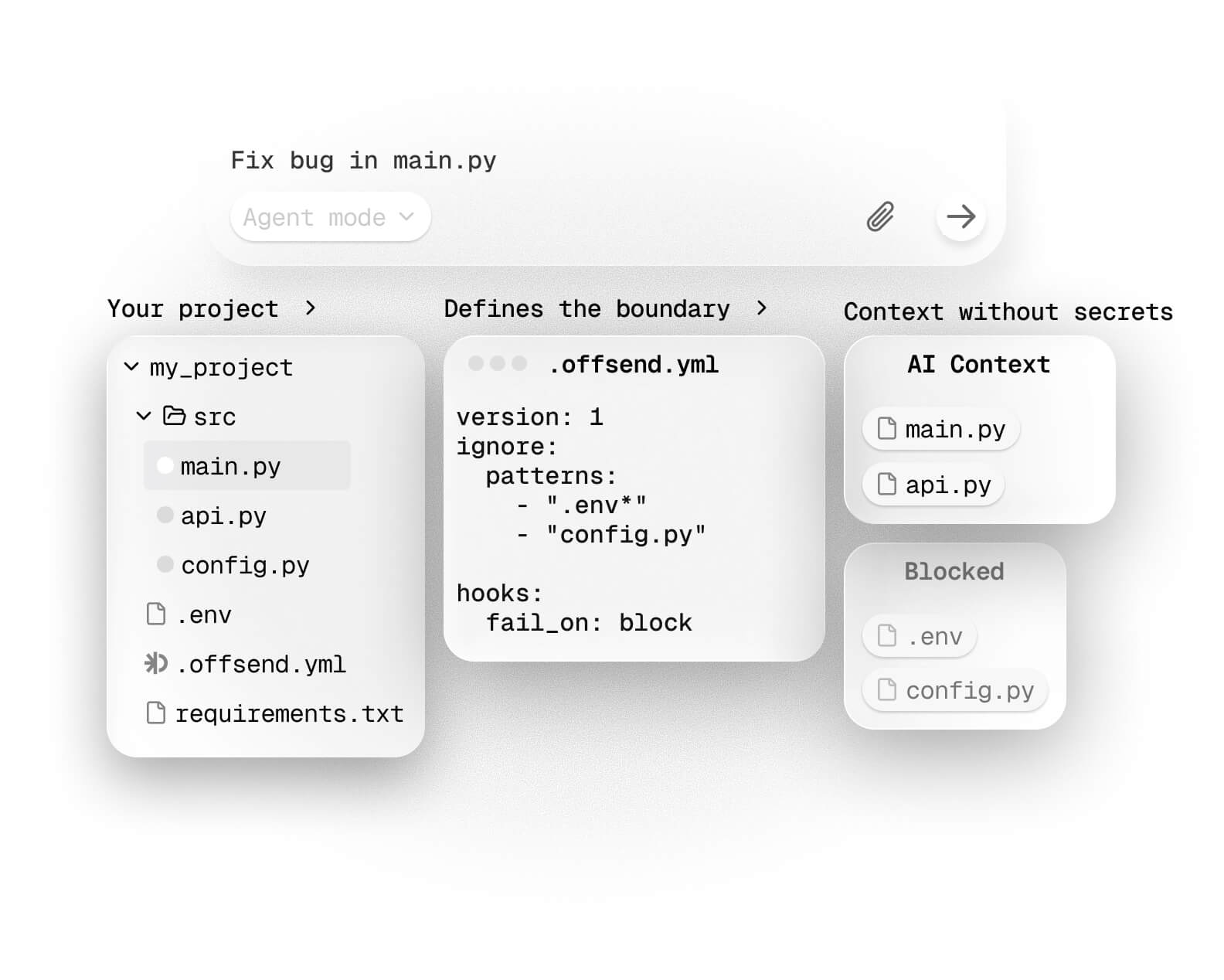
One file in git. After install, secrets become tokens —
the agent keeps working. Ignore, gates, CI.
curl -fsSL https://install.offsend.io/cli | bashalso runs offsend setup
Supported tools
| Editor | Runtime gates |
|---|---|
 Cursor Cursor | prompt, read, write, shell, MCP argsMCP response seal |
 Claude Code Claude Code | prompt, read, write, shell, MCP argsMCP response seal |
 Windsurf Windsurf | prompt, read, write, shell, MCP argsno MCP response seal |
 Codex Codex | prompt onlyfile / MCP gates not supported yet |
Hooksoffsend setup installs user-level Cursor and Claude hooks in any folder. Windsurf and Codex gates come from offsend sync in a repo. Claude path lock is permissions.deny in .claude/settings.json — not .claudeignore.
LimitsLocal-first CLI. Defense-in-depth — not a guarantee that an agent cannot read a file. Cloud agent sessions are outside local hooks.
Ignore-file supportGitHub Copilot, Continue, Gemini, LLM, Aider, Cline, Roo, Zed, Cody
AI context enters through more than prompts
Coding agents can read workspace files, follow file references, run shell commands, call tools, spawn subagents, and retain local transcripts.
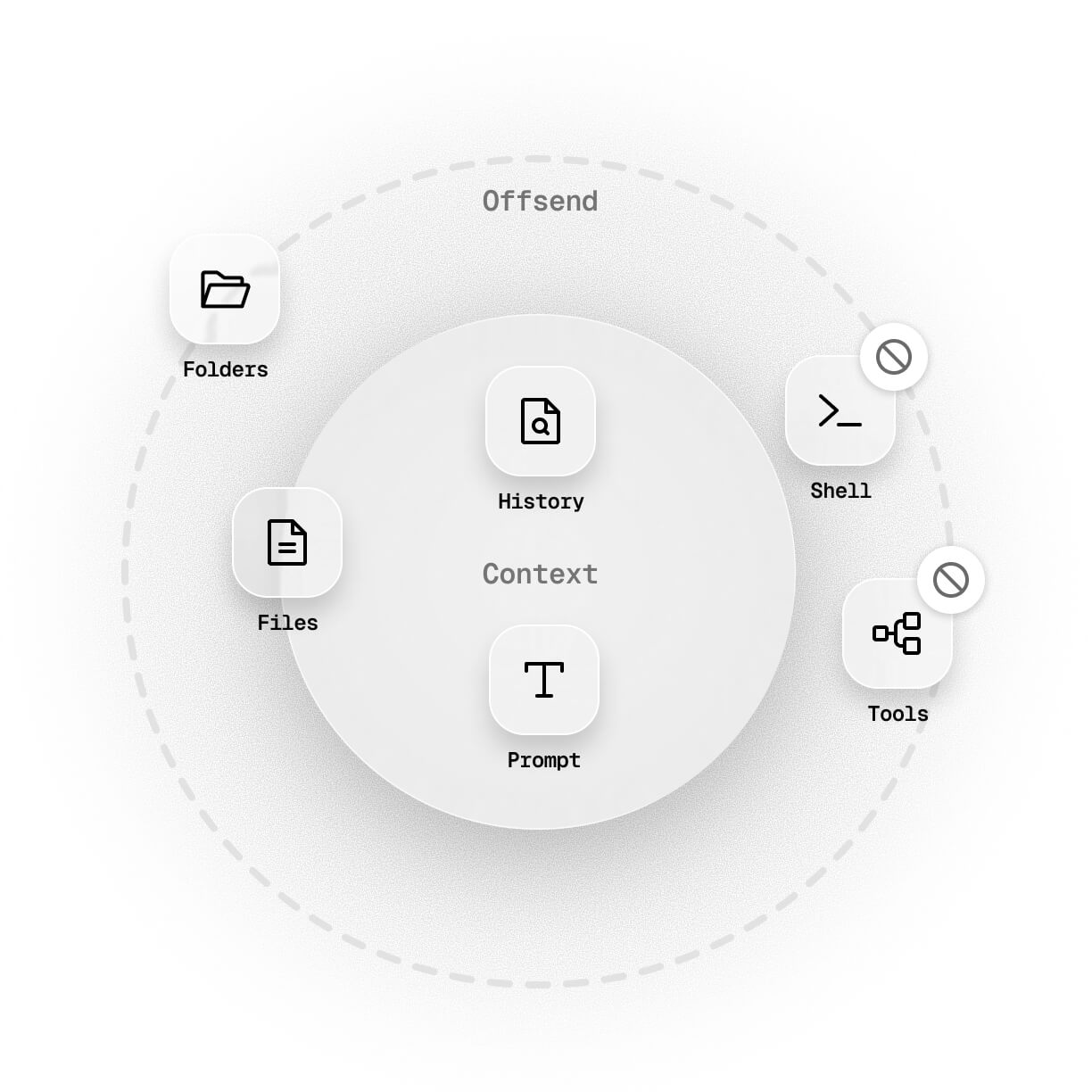
A repository needs boundaries across all of these paths — not only for committed files.
Check a repositoryThree layers
The product starts on the machine. .offsend.yml is the second layer — the team boundary in git — not the only one.
- 01
Machine
Once per laptop ·
install/setupSeal key and user-level Cursor/Claude hooks. The agent keeps working; plaintext stays out of context. No YAML required.
- 02
Repo
When you own it ·
initTeam policy in
.offsend.yml— ignore, seal, policy checks, git pre-commit and post-merge. - 03
CI
When there is GitHub
check --policyfails on secrets and ignore drift — not on missing git or editor hooks on the runner.
Seal
MCP tools and file reads can put secrets into the model. Seal swaps those values for reversible tokens — the agent keeps working; plaintext stays out.
{{TYPE:v1.…}}
Restore
Copy the agent reply, then run
offsend unseal— clipboard, file, or pipe.Without a key
Secret-bearing MCP output is withheld. It is not passed through.
Machine default
After
setup, YAML is not required.initwrites the same into.offsend.ymlfor the team.Editor limits
Cursor and Claude Code seal MCP responses. Windsurf has no MCP response seal. Codex is prompt-only — no file or MCP gates yet.
A context policy that belongs to the repository
The second layer: .offsend.yml keeps AI-context rules visible, reviewable, and versioned with the project.
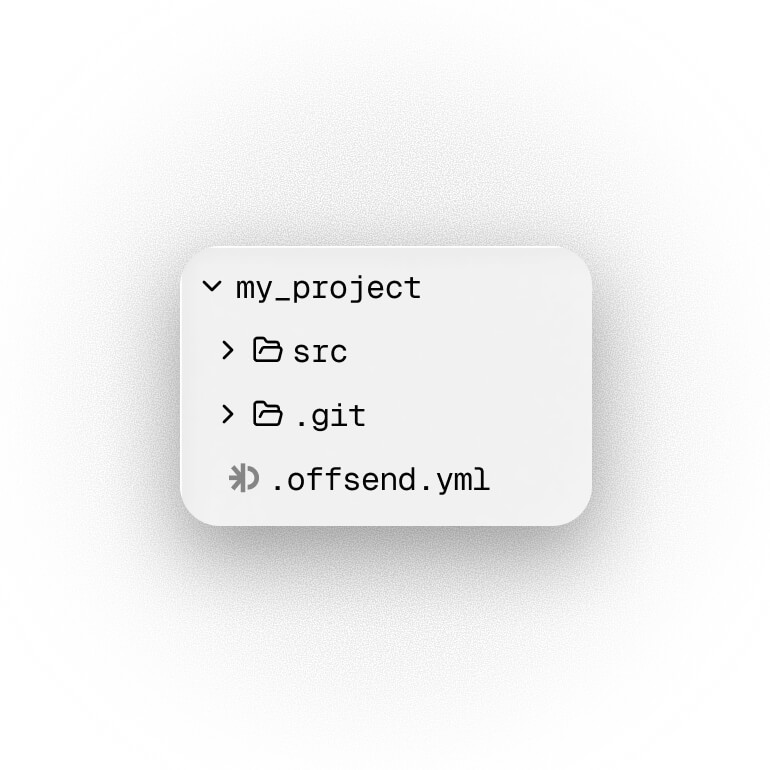
Install already ran setup. Doctor the machine, then commit .offsend.yml when you own the repo.
curl -fsSL https://install.offsend.io/cli | bashalso runs offsend setup
after install — quick start
then: git add .offsend.yml && git commit
- uses: Offsend/ai-hygiene@v1
  with:
    fail-on: block
policy: trueFAQ
What does Offsend protect?
Offsend is an open-source, local-first boundary layer for AI coding agents. After setup, Cursor and Claude hooks work in any folder without YAML. When you own the repo, a committed .offsend.yml is the team source of truth: offsend sync materializes AI ignore files and installs supported hooks. Ignore rules are the primary exclusion. Runtime gates then check prompts, file reads, shell, and MCP on editors that expose those hooks. On Cursor and Claude Code you can seal secrets in MCP responses (and optional sealed file copies) so the agent keeps working without plaintext. Local transcripts can be audited and scrubbed after the fact — that is recovery, not a live gate. Cloud sessions do not run local hooks.
Is Offsend a secret scanner?
Offsend includes content scanning (offsend check) for keys, tokens, and similar patterns in files, staged diffs, and stdin. Its primary job is still the AI context boundary — local seal, path policy, AI ignore sync, and runtime gates — not full git-history leak forensics or a cloud sandbox. Use it alongside Gitleaks, TruffleHog, or GitHub secret scanning when you need deep history coverage. Versus GitGuardian, the job is local seal and fail-closed without a key — not cloud block.
Does Offsend upload my code?
No. CLI checks run locally. Repository policies stay in the repo. Local history is audited locally. No cloud scanning is required.
Does one .offsend.yml guarantee that AI cannot read a file?
No. Offsend is defense-in-depth, not a guarantee. Ignore files are the primary exclusion. Gates cover only the hook surfaces each editor exposes — for example Codex has no file/MCP gates yet, Windsurf cannot seal MCP responses, and Claude subagents are not gated. Cloud agents never see local hooks. Keep secrets out of the repo; use CI check --policy for what left the machine.
Where should I start?
Install the CLI (that already runs offsend setup). Then offsend doctor — CLI, seal key, and user hooks, no YAML needed. In a repo you own: offsend init --template …, commit .offsend.yml, then protect and sync. After cloning a repo that already has YAML, run offsend sync. Found a public repo without installing? Use Check.
What is Radar?
Radar researches AI-context risk signals across public repositories without reading file contents. Visit radar.offsend.io for the latest report.
Surfaces
CLI for repos. macOS, extension, and GitHub Action for the other paths.
CLI
Setup on the machine. Commit .offsend.yml for the team. Sync ignore files and hooks. Doctor the local setup.
Install CLI
Desktop
Check files, folders, and clipboard text before sharing them with AI tools.
Download for macOS
Browser Extension
Detect and mask sensitive values before browser prompts or attached files are sent.
Install extension
GitHub Action
Run the same offsend check in CI before code lands.
Add to CI
Check
Run a fast repository audit without installing the CLI.
Check repository
Radar
Research showing AI-context risk signals across public repositories.
Read latest report